Your rate card and service area
What you charge, worked out from your own numbers, inside the area you actually cover.
How a price is built
You do not type one price for every job. You publish a formula, and it is applied to whatever is in front of you.
- Base
- What any run is worth before distance.
- Per distance
- Your rate for the trip from the shop to the door.
- Per item
- The picking work. Charged only when you are the one doing the picking.
- Per minute
- Time, including a fixed allowance for getting into a shop and out of it.
- Minimum
- The floor below which a job is not worth the trip. Nothing prices under it.
Type miles or kilometres, whichever you think in. It is stored in one unit underneath and shown back to you in yours, so two runners can be compared without a conversion bug in the middle.
When the shop bags the order
Some jobs are a collection: the shop has already assembled everything and you are picking up a bagged order. On those, the per-item and shopping-time parts of your card do not apply, because that work did not happen.
A collection is not free of time, though. There is still a smaller allowance for parking, walking in, waiting and loading — zeroing it would be as wrong in the other direction.
What the rate card screen holds
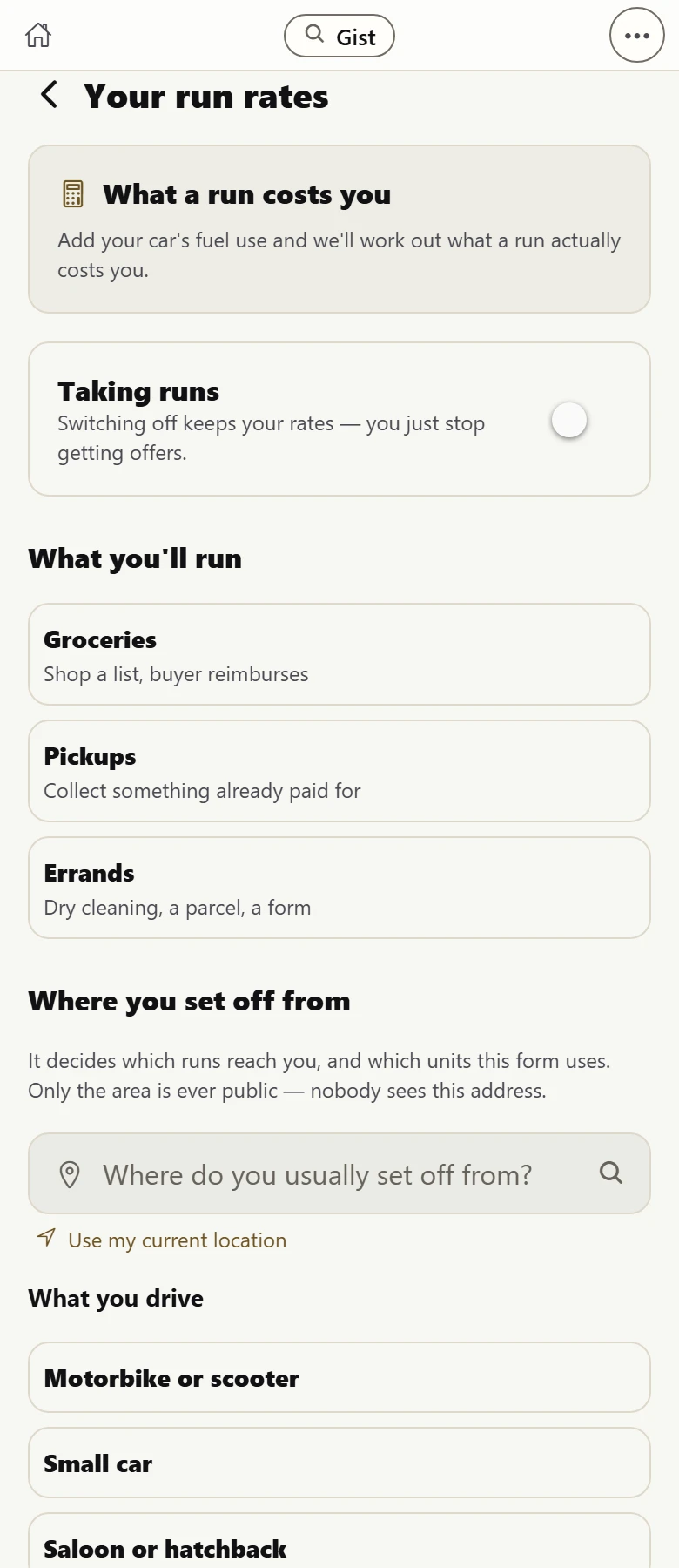 1234
1234- Tell it what your vehicle drinks and it works out what a run actually costs you to do. Use it before you set a price, not after.
- Taking runs. Switching it off keeps everything you set — you just stop being offered work. It is a pause, not a delete.
- What you will run: shopping a list, collecting something already paid for, or an errand. Tick only what you actually want.
- Where you set off from. It decides which runs reach you and which units the form uses — and only the AREA is ever public.
The three kinds of work
- Groceries
- You shop a list and the buyer reimburses you. The one where your own money is at risk until you deliver.
- Pickups
- You collect something already paid for. No money of yours involved at any point.
- Errands
- Dry cleaning, a parcel, a form. Fetching and carrying.
Tick only the ones you want. Nothing pressures you toward the others, and turning one off later costs you nothing you have already set.
Your service area
You publish where you start from and how far you will go. Jobs are matched against your own radius, not one blanket distance for everybody.
There is a switch for whether you are taking runs at all. Turning it off keeps your rates, your area and your vehicle exactly as they are; you simply stop being offered work until you turn it back on.
A shop can only offer runner delivery to a buyer if somebody's published area actually reaches it. Publishing yours is what makes those shops able to promise delivery at all.
What we do and do not do about price
On a job somebody sends you directly, the price shown is your own card applied to that job. We are working out your formula, not naming a number.
On the open board, buyers offer what they like. They are shown what runners nearby usually charge, with the workings, and an offer below that gets a soft note — never a refusal, and never a floor. There is no minimum price we impose, and no maximum.
On a shop's own delivery, we set the price from the middle of what runners near that shop already charge for that trip. You still accept or decline it like anything else.
Related
What a run actually costs you
Fuel, wear and time — including the miles you do not get paid for. Use it to price, or ignore it.
Finding work
Three ways a job reaches you, and one guarantee: every job you can see is already funded.
How and when you are paid
The buyer's card is charged when you prove the delivery, and your share moves in the same request.